

If you spend significant time behind the wheel, your choice of navigation app can make the difference between a smooth commute and a stressful drive. While Google Maps remains the dominant player, a growing number of drivers and reviewers are discovering that Waze offers a superior experience when paired with Android Auto. Here’s what has changed in the navigation landscape and why it matters for your next road trip.
Real-Time Traffic Data Gives Waze the Edge
The core strength of any navigation app is its ability to find the fastest route, especially during rush hour when traffic conditions shift minute by minute. Waze excels here because it relies on contributions from its active user community rather than server-based data alone. Drivers submit reports about road closures, accidents, flooding, and other obstacles in real time, allowing Waze to recalculate your route instantly based on current conditions.
What sets Waze apart is its specificity. While other navigation apps tell you there’s traffic ahead, Waze tells you what caused it. You’ll know whether it’s an accident, road closure, or construction before you even approach the problem area. The app even recommends specific lanes to drive in, giving you a tactical advantage on multi-lane highways. Additionally, Waze alerts you to speed cameras and police sightings, information that can help you avoid tickets and drive more safely.
The real-time advantage extends to fuel and charging. If you drive an electric vehicle, Waze shows you compatible charging stations based on your plug type and preferred networks, pulling from data constantly updated by the community. For traditional vehicles, you can sort nearby gas stations by price, distance, or brand, potentially saving money on fuel over time.
A Cleaner, Driver-Focused Interface
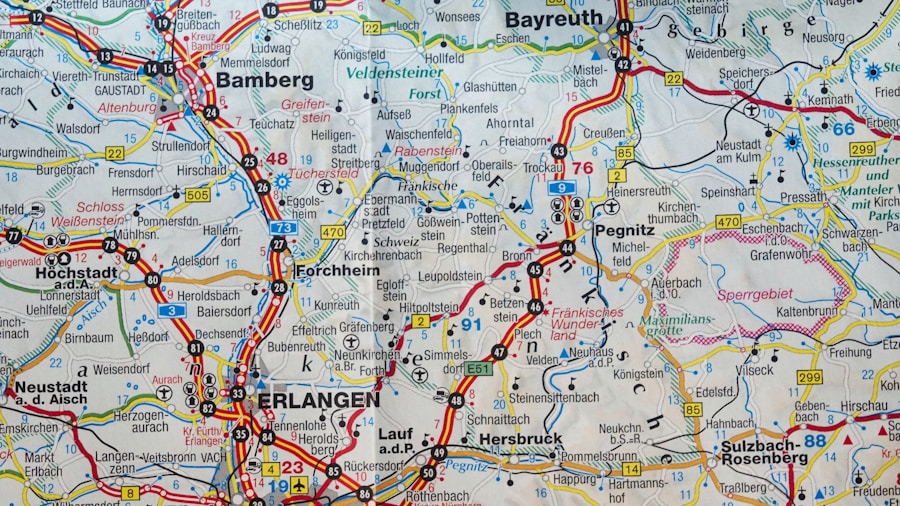
Design matters when you’re using an app while driving. Waze was built specifically for drivers, and this shows in every detail of its interface. Unlike navigation apps that cram every possible data point onto the screen, Waze displays only what matters to you right now. The map remains uncluttered, icons are intuitive, and important information appears prominently without distraction.
On Android Auto specifically, Waze makes intelligent use of screen space. The app automatically switches to dark mode based on lighting conditions, reducing eye strain during nighttime drives and improving visibility during the day. For those looking to use Android Auto better, Waze’s straightforward layout means less fumbling with controls while your eyes should stay on the road.
Personalization and Customization Options
Waze goes beyond the standard light and dark mode toggle. You can select custom voices for turn-by-turn directions, even recording your own voice to guide you through directions. The app includes several voice packs in different languages, and advanced users can add unofficial packs from third-party repositories for even more variety.
The mood feature lets you express yourself by displaying icons to other Waze drivers in your area, adding a fun social element to your commute. More practically, you can customize exactly which alerts appear on your map, filtering out notifications that don’t matter to your driving style. This level of control means your Waze experience becomes uniquely suited to how you drive.
Route Suggestions That Learn Your Preferences
Over time, Waze studies your driving habits and learns your preferred routes. The app then suggests new routes that align with your established patterns, rather than always pushing the mathematically fastest option. This personalization proves especially valuable if you frequently drive in areas where traffic patterns change dramatically hour to hour. Waze can save you substantial time compared to drivers who stick with the same route regardless of conditions.
The app also handles missed turns and deliberate detours gracefully. If you accidentally skip a turn or want to avoid a particular stretch of road, Waze reroutes you smoothly without frustration. While the new route may not always be faster, the flexibility prevents the awkward moments when an app seems frustrated with your driving decisions.
Why This Matters for Android Auto Users
Both Waze and Google Maps are owned by Google, yet they serve different purposes. Google Maps functions as an all-in-one solution covering navigation, place information, and reviews. Waze, by contrast, focuses exclusively on driving. This specialization means when you need pure navigation excellence on Android Auto, Waze delivers.
It’s worth noting that Waze’s real-time accuracy depends partly on community size. In areas with fewer Waze users, coverage may be less comprehensive than in major metro areas. Still, for most drivers in populated regions, the combination of intelligent routing and community-sourced alerts creates a compelling alternative to the established options. If you’re considering whether to try a different navigation experience, understanding your Android Auto navigation choices can help you make an informed decision.
For commuters tired of generic navigation apps, Waze represents a focused, user-centric alternative that prioritizes what actually matters during your drive: getting there efficiently, safely, and on time.










Write Your Review
No reviews yet. Be the first to share your experience!