

If you’ve relied on wireless Android Auto for seamless navigation and entertainment during your commute, you’ve probably experienced the frustration of unexpected disconnections, audio glitches, and rapid battery drain. While the wireless convenience sounds ideal in theory, real-world performance often tells a different story. For shoppers considering how to best integrate their smartphone into their vehicle’s infotainment system, understanding these technical challenges can help you make a more informed purchasing decision about which connection method works best for your needs.
The Persistent Problem of Unexpected Disconnections
One of the most dangerous issues affecting wireless Android Auto users is sudden connection loss during critical driving moments. Imagine navigating a complex freeway exit using live directions when your car’s screen suddenly goes blank. The wireless connection between your phone and vehicle’s head unit relies on a delicate data link that frequently breaks down, especially during longer drives. Unlike Apple CarPlay, which demonstrates greater stability, wireless Android Auto users report this problem across all phone brands and vehicle models. A traditional USB cable eliminates this vulnerability entirely. When hardwired through USB, your phone’s connection to the car remains rock solid from the moment you plug in until you arrive at your destination, giving you complete confidence in your navigation system.
Audio Interruptions and Playback Lag

The Bluetooth transmission inherent in wireless Android Auto introduces latency that degrades your listening experience. Users frequently encounter paused music, scratchy playback, mismatched album displays, and delayed responses when skipping tracks. These issues typically worsen when you’re simultaneously running navigation and streaming audio, as your phone’s processor handles multiple heavy tasks while maintaining the wireless connection. USB connection completely bypasses this latency problem since data transfer occurs through a direct physical cable rather than wireless protocols. This approach ensures smooth, uninterrupted audio playback throughout your entire drive. When considering navigation updates for Android Auto, pairing them with a reliable connection method guarantees you’ll experience their full benefits without frustrating delays.
External Interference and Dead Zones
Wireless Android Auto’s signal proves surprisingly vulnerable to environmental interference. Your connection may drop at the same location every commute, whether near electronic toll booths, airport radar zones, or crowded areas where numerous devices transmit signals simultaneously. These invisible electromagnetic conflicts force your wireless signal to compete with much stronger external noise, causing unexpected disconnections and service interruptions. USB connectivity completely sidesteps this problem since no wireless signal exists to interfere with in the first place. Your maps and music travel through the cable, completely shielded from the chaotic electromagnetic environment surrounding you on the road.
Phone Overheating and Performance Throttling
Running navigation, GPS tracking, music streaming, and call handling simultaneously while maintaining wireless connections to both your vehicle and charging systems places enormous strain on your phone’s processor. This combination generates excessive heat that forces your device to reduce performance, making your map display sluggish and dimming your screen responsiveness. Wireless charging pads, often used alongside wireless Android Auto, make this problem worse due to their inherent inefficiency. USB charging delivers power far more efficiently while reducing the overall processing burden on your phone, keeping it noticeably cooler during extended drives. If you’re shopping for wireless adapters for Android Auto, remember that even the best wireless solution won’t completely resolve thermal stress that hardwired connections eliminate.
Rapid Battery Drain During Daily Commutes
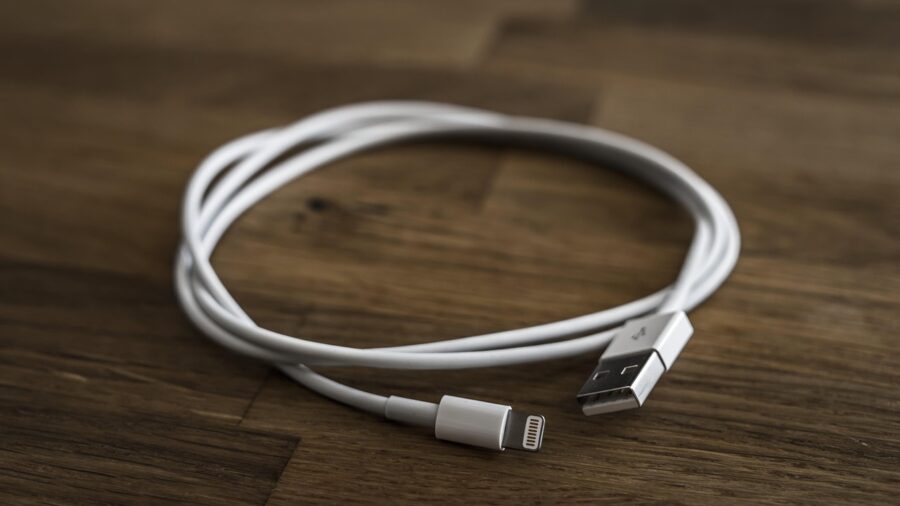
The constant power consumption required to maintain wireless connections while running intensive applications creates substantial battery drain that most users underestimate. A typical thirty-minute commute can consume five to ten percent of your battery capacity through wireless Android Auto use alone. Many drivers attempt to counteract this with wireless car chargers, only to discover they charge slower than the system drains power, leaving you with an overheated phone that’s actually losing battery percentage despite charging. Switching to USB connection solves this problem completely. Direct cable charging delivers power significantly faster and more efficiently, allowing your phone to charge while running Android Auto simultaneously. You’ll arrive at your destination with a well-charged device instead of the dead battery anxiety that wireless systems create.
Making the Switch
For shoppers deciding between wireless and wired Android Auto setups, the evidence clearly supports hardwired USB connection for reliability, safety, and performance. While wireless convenience appeals in principle, the practical drawbacks consistently undermine the user experience. A quality USB cable represents an inexpensive solution that eliminates disconnections, audio problems, interference issues, overheating concerns, and battery drain simultaneously. Your smartphone and vehicle deserve a connection method that performs reliably every single time you drive, making USB the smarter choice for dependable in-car connectivity.










Write Your Review
No reviews yet. Be the first to share your experience!